
Business process automation examples: 9 workflows worth fixing first
Business process automation examples for teams that want less manual work: leads, onboarding, invoices, support, access, reporting, and more.

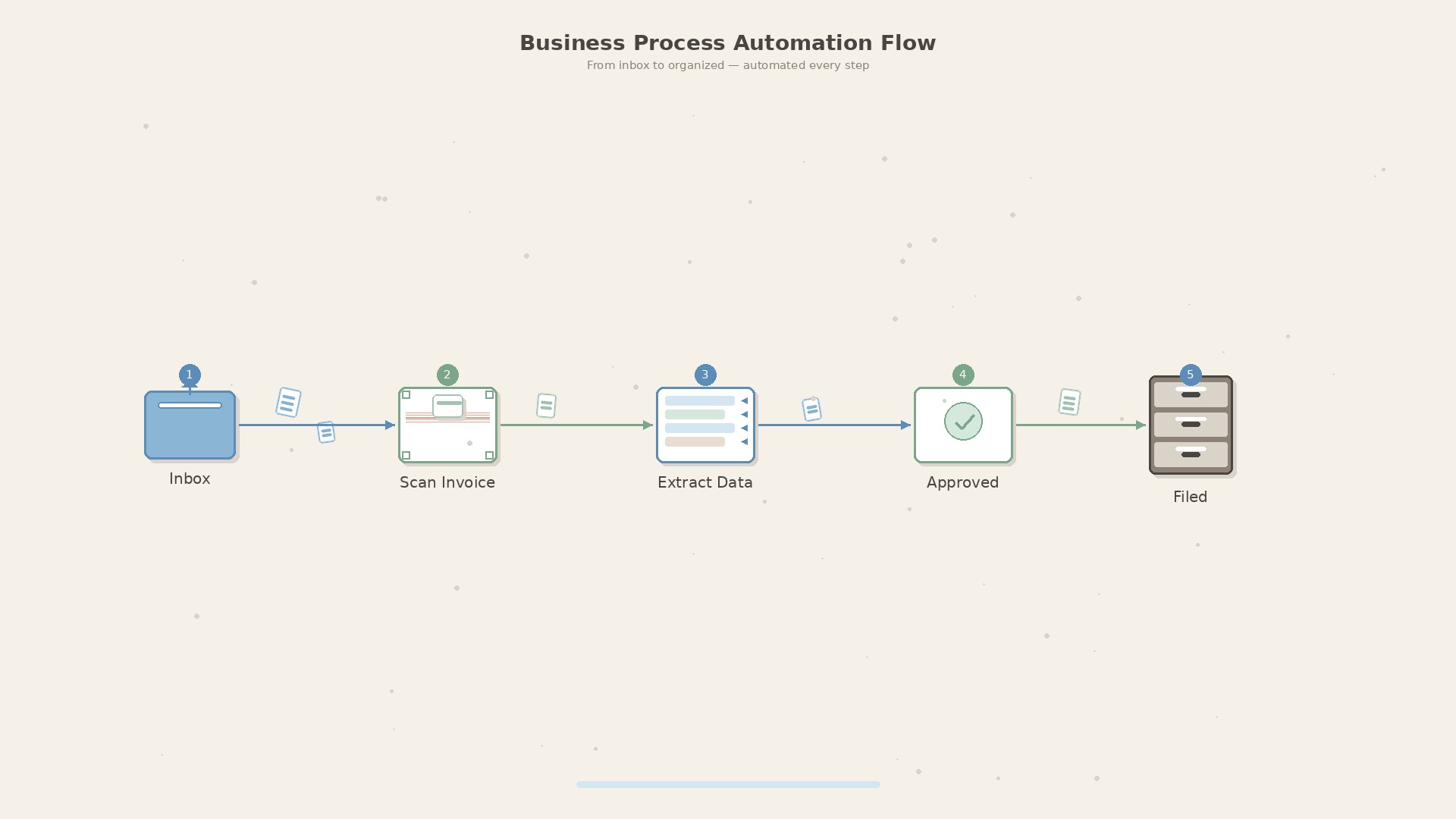
Business process automation examples that show where to start
Business process automation gets expensive when teams start with tools instead of work. Someone buys an automation platform, connects a few forms, and six months later people are still copying data between spreadsheets because the real bottleneck was never mapped.
A better first question is simple: which repeatable task creates delay, errors, or follow-up work every week? Start there. The best automation projects are usually boring. They move data, remind people, check rules, create records, and make sure nothing falls between two systems.
Below are nine business process automation examples we see in service companies, software teams, operations teams, and back offices. None require a science project. Most can start with a small workflow, then grow once the process proves it saves time.
If you need an external team to build the first version, our guide to outsourcing software development to Poland explains when a nearshore partner is a good fit.
If the process depends on an old internal application, read our legacy system modernization guide before automating around brittle software.
1. Lead qualification and handoff automation
A common sales process looks tidy in a CRM demo and messy in real life. Leads arrive through a website form, email, LinkedIn, referrals, and sometimes a spreadsheet from an event. Someone has to read each lead, decide who owns it, enrich missing company data, and follow up before the prospect goes cold.
A useful automation can:
The goal is not to replace sales judgment. The goal is to stop good leads from sitting in an inbox for three days.
2. Client onboarding workflow automation
Client onboarding is full of small handoffs. Contract signed. Invoice details needed. Access requested. Kickoff booked. Repository created. Project folder shared. If one step is missed, the first week feels chaotic.
A clean onboarding workflow creates the same checklist every time. It can open internal tasks, send the client a short intake form, prepare folder structure, request access, and remind the project owner if something is still missing after 48 hours.
This is a good place to automate because the process has clear edges. It starts when a deal is won and ends when the project can actually begin. If your onboarding differs wildly between clients, map the common 70% first and leave the exceptions to humans.
For the detailed version, read our customer onboarding automation guide with a 30-day pilot plan and the metrics to track.
3. Invoice approval and payment reminders
Finance teams lose time on simple questions: who approved this invoice, which cost center should it hit, why is the vendor asking again, and did we already pay it?
An invoice approval automation can extract basic fields, match the vendor against known suppliers, send the invoice to the right approver, keep an audit trail, and remind the approver before payment terms get awkward.
For a wider pattern beyond finance, read the approval workflow automation guide. The same intake, routing, reminders, and audit trail apply to purchases, discounts, access requests, and contracts.
AI can help when invoices arrive in different formats, but the bigger win is usually boring: one queue, one owner, and fewer messages asking whether something has been approved.
For a deeper document-heavy example, read the guide to AI document processing automation. It covers extraction, validation, exception handling, and ROI for invoices, claims, contracts, and forms.
4. Customer support triage automation
Support queues often suffer from the same pattern: urgent issues wait behind easy questions because everything lands in one bucket. A simple triage workflow can classify requests by customer, product area, severity, language, and whether the message contains a known error pattern.
For example, a support automation might route billing questions to finance, tag a production outage as urgent, attach logs from a monitoring tool, and suggest a saved response for a common setup problem.
This works best when the automation is allowed to be modest. Let it tag and route. Do not let it close tickets unless the answer is truly deterministic and the customer can reopen easily.
For a deeper version of this workflow, read our guide to AI customer support automation.
If the bottleneck starts in a shared inbox rather than the support tool, start with AI email automation: triage, extraction, routing, and human review before auto-replies.
If the same problem shows up earlier in the funnel, our sales process automation examples guide covers lead routing, CRM hygiene, follow-ups, and sales-to-delivery handoffs.
For the forecasting side of the same CRM data problem, see AI sales forecasting.
5. Employee access requests and offboarding
Access management is dull until it becomes a security problem. New employees need email, Slack, GitHub, cloud accounts, HR tools, and project permissions. Departing employees need the opposite, quickly and completely.
A basic workflow can trigger from HR status changes, create access tasks for each system, record who approved them, and flag any account that remains open after the offboarding date.
This is not only an IT convenience. It gives the company evidence that access was granted and removed intentionally. That matters for audits, client security reviews, and plain common sense.
6. Document generation from approved data
Teams waste surprising amounts of time producing the same documents: offers, statements of work, meeting summaries, status reports, certificates, renewal letters. The dangerous part is not the writing. It is copying the wrong price, date, legal name, or project scope.
Document automation works well when it pulls from approved data. A CRM opportunity can produce a draft statement of work. A project management system can produce a weekly status report. A delivery checklist can produce a handover document.
Keep a review step for anything legal, financial, or client-facing. The automation should make the first draft consistent. A person should still own the final version.
7. Internal reporting automation
Many managers do not need a bigger dashboard. They need one reliable weekly view that answers: what changed, what is blocked, and where do we need a decision?
Reporting automation can collect data from project tools, CRM, finance, and support, then produce a short digest. The useful version includes exceptions and trends, not a wall of charts.
A good weekly operations report might show overdue invoices, delayed projects, support tickets older than three days, new high-value leads, and decisions waiting for leadership. That is enough to run a better meeting.
8. Procurement request automation
Procurement breaks down when requests arrive through chat messages and hallway conversations. Someone wants software, hardware, contractor help, or a paid API. Nobody knows whether it was approved, whether security checked it, or whether there is already a similar tool in use.
A procurement workflow can collect the request, estimated cost, business reason, renewal date, data access level, and approver. Small requests can move quickly. Expensive or risky requests can route through finance, IT, or legal.
The hidden win is not just faster buying. It is avoiding another forgotten subscription that renews quietly for a year.
9. Developer workflow automation
Software teams also have business processes. Pull requests need checks. Releases need notes. Incidents need timelines. Environments need cleanup. Client work needs handover details.
Useful developer workflow automation can create release checklists, remind reviewers when a pull request is stuck, generate deployment notes from merged tickets, or clean up preview environments after a branch is deleted.
For macOS teams, automation can be even smaller. Our own Lsyncer product came from a very specific workflow annoyance: keeping useful project folders in iCloud while excluding generated folders like node_modules and build output.
How to choose the right process to automate first
Do not start with the flashiest example. Start with a process that has enough repetition and pain to justify the work.
Use this quick filter:
If a process fails that filter, fix the process before automating it. Automating a vague mess usually creates a faster mess.
What to measure before and after automation
Measure the boring things first. How many times per month does the process run? How long does it take? How many handoffs are involved? How often does someone chase missing information? How often does a mistake require rework?
After automation, track cycle time, error rate, manual touches, missed deadlines, and user complaints. If those numbers do not improve, the workflow may be too complex, too brittle, or solving the wrong problem.
A small automation that saves 20 minutes across 100 cases per month gives back more than 33 hours. That is usually easier to defend than a vague promise of transformation.
If AI is part of the answer, use a pilot rather than a leap of faith. Our AI implementation roadmap shows how to test one workflow in 90 days before scaling it, and the cost of AI implementation guide shows what that pilot may cost.
If you are choosing between several AI candidates, the AI workflow automation checklist shows how to score the first process before anyone starts building. For meeting-heavy teams, AI meeting notes automation is a good narrow pilot because the input, owner, and output are easy to inspect.
For a smaller operations-first view, read workflow automation for small business. It shows how to pick one repeatable task, map the handoffs, and run a 30-day pilot.
FAQ
What are common business process automation examples?
Common examples include lead routing, invoice approval, client onboarding, support triage, employee offboarding, document generation, weekly reporting, procurement requests, and developer release workflows.
What is the difference between workflow automation and business process automation?
Workflow automation usually handles a specific sequence of tasks. Business process automation is broader. It may include multiple workflows, roles, systems, approvals, and reporting around an entire business process.
Can small businesses use process automation?
Yes. Small businesses often benefit quickly because the same people handle sales, operations, finance, and support. Start with one painful repeated task, not a company-wide automation program.
When should AI be used in business process automation?
Use AI when the process involves messy text, documents, classification, summarization, or pattern detection. Use rules when the decision is deterministic. In many workflows, the best answer is a mix of both.
How do you avoid automating a bad process?
Map the current process, remove unnecessary steps, define who owns each decision, and test a small version first. If nobody can explain the process clearly, it is too early to automate.
Need help choosing the first workflow?
Syntanea helps companies turn messy internal processes into practical software, integrations, and AI-assisted workflows. We usually start by mapping the work, finding the waste, and building the smallest automation that proves value.
If your team is stuck between spreadsheets, inboxes, and tools that do not talk to each other, talk to Syntanea. We can help you choose the first process worth automating and build it without turning the project into theatre.